Levende
Stop motion with drawings: how to make a film
Fix your phone above the paper, draw your figure and take a photo. Change the drawing a little, take the next photo, and keep going. Play the photos back at 8 to 12 a second and the drawing moves. You can draw a new picture for every photo, rub out and redraw part of one picture, or cut the figure out of paper and move its arms and legs between photos. A free stop motion app takes the photos and plays them back.
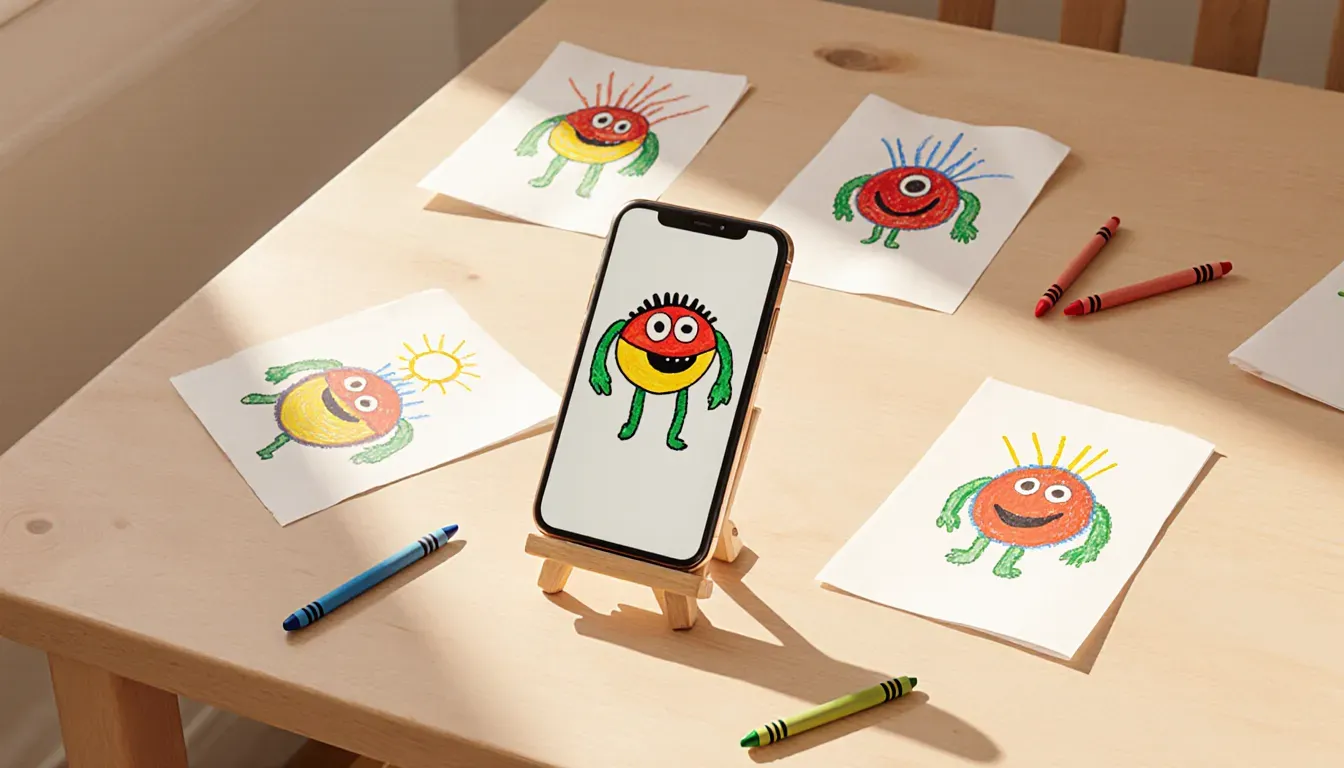
What you need
- A phone that stays put. Lay it across two stacks of books with the camera facing down, or use a phone stand. If the phone moves between photos, the whole picture jumps.
- Paper and a dark felt-tip. A bold line shows up much better on camera than pencil does.
- A lamp. Daylight changes every time a cloud passes, and the film flickers. Draw the curtains and switch on a lamp instead.
- A stop motion app. Stop Motion Studio is free on iPhone, iPad and Android, with paid extras. It lays a faint copy of the last photo over the camera (onion skinning), so you can see how far you’ve moved things.
- Some tape to fix the paper to the table. Or mark the corners, so each new sheet goes in exactly the same place.
Step by step
- Set the phone up above the paper and tape the paper down. Open the app and start a new film.
- Draw the first picture and take a photo.
- Change the drawing a little: a new sheet with the next pose, a bit rubbed out and drawn again, or a paper arm moved a few millimetres. Take the next photo, with your hands out of the picture.
- Keep going. Small changes make the movement smooth; big ones make it jerky.
- Play it back. Most apps let you set the speed, and 8 to 12 frames a second suits drawings. Add a sound or some music and save the video.
8 drawings, 1 second
- 1
- 2
- 3
- 4
- 5
- 6
- 7
- 8
Three ways to draw it
Whichever you choose, you end up with a row of photos played one after another. The difference is how much drawing it takes.
A new drawing for every photo
Trace the last drawing on a window or a light pad and change only what moves. It’s how cartoons were made before computers.
Rub out and redraw
Draw on a whiteboard or in soft pencil, then rub out the part that moves and draw it again a little further on. The faint smudges left behind become part of the look.
Paper cut-outs
Draw the figure once, cut out the head, arms and legs, and nudge them a little between photos.
At 12 frames a second, one second takes 12 photos, so the first way is a lot of drawing. Cut-outs are the easiest place to start.
Tips that save a lot of work
- Start with something short, like a bouncing ball or a face that blinks. Three seconds is plenty for a first film.
- Take two photos of each drawing. Then 6 drawings fill a second at 12 frames a second. It looks a little choppier, but drawings often look better for it.
- Draw the background once, on its own sheet, and move only the figure on top of it.
- If the app can lock focus and exposure, lock them. Otherwise the picture may get lighter and darker from one frame to the next.
- Already made a flipbook? Photograph it page by page, and you have a stop motion film.
Make one drawing move without drawing it again
Stop motion means a lot of drawing and photographing, and that’s half the fun. But sometimes a child has one drawing they love and just wants to see it dance. That’s why I made Levende. You scan the drawing, the iPhone cuts the figure out and gives it a skeleton, and then it can walk, jump or dance: there are 20 moves to choose from. You can record up to 30 seconds of it as a video.
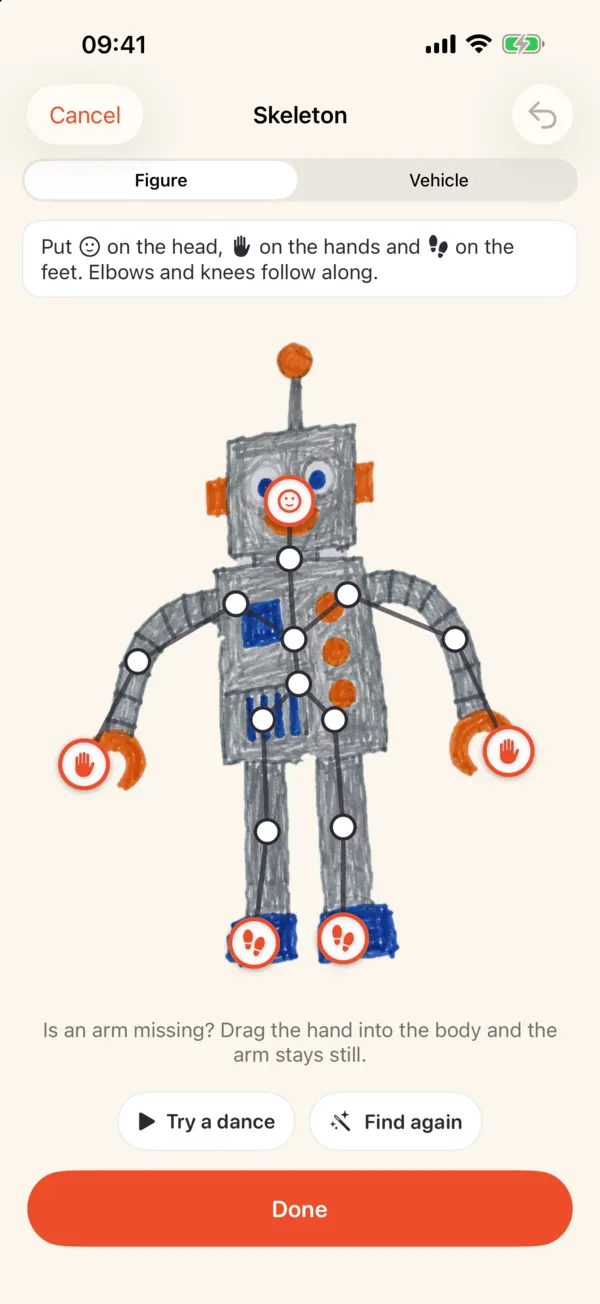 1Drag any dot that’s in the wrong place
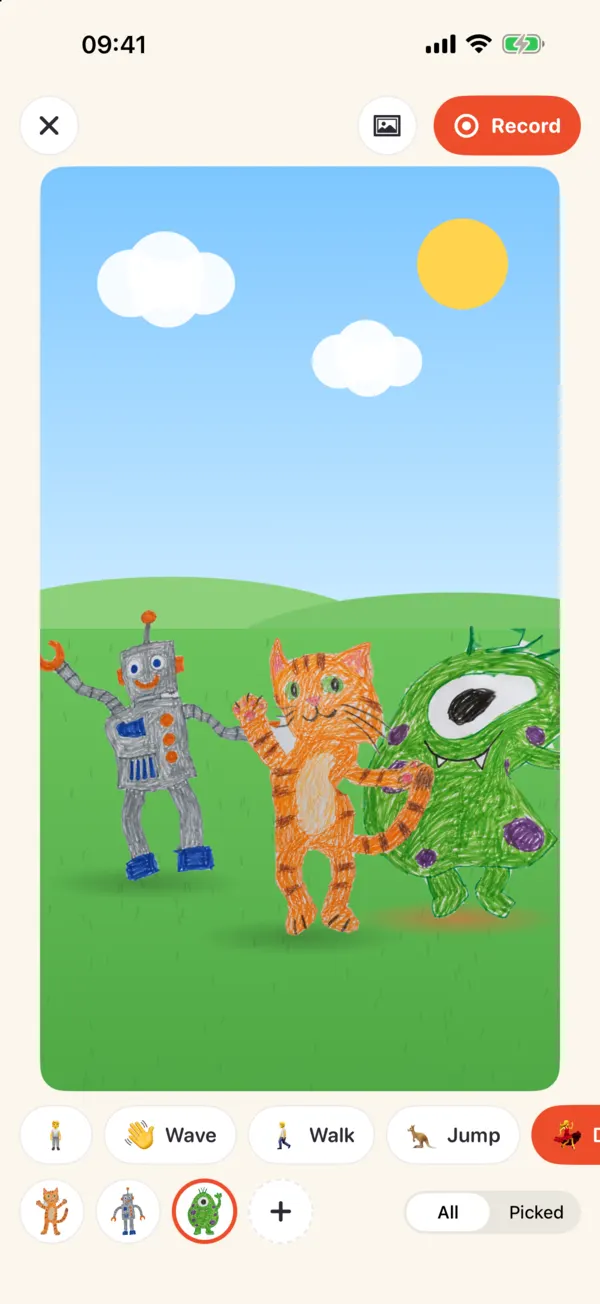 2Pick one of 20 moves3Record a video of up to 30 seconds
- Drag any dot that’s in the wrong place
- Pick one of 20 moves
- Record a video of up to 30 seconds
Levende isn’t a stop motion app, though: you don’t film anything frame by frame, and you choose from the app’s moves instead of making up your own. Levende costs $1.99, once, with nothing else to buy. There are no ads and no account, and the drawing stays on your iPhone or iPad. For the steps, see how to animate a drawing.